Max Browser - Fast & Easy
- 4.7
- Rating
- 1.00M
- Installs
- Free
- Price

 Analysis by App-foxy
Most people do not need another complicated browser. They need a quick way to look something up, check the weather, scan the news, and move on without turning a simple task into a long session of tabs and settings. That is the problem I found Max Browser trying to solve. It is a free tools app from devBroodyy, built around fast browsing, private search, news, and weather rather than a large collection of advanced extras.
After using it as an everyday mobile browser, my impression is straightforward: it works best as a lightweight starting point for common searches and quick information checks. It is not the browser I would choose for every demanding web task, but it can make routine phone use feel less cluttered. The main question is whether you value speed and simplicity more than the deep customization, synchronization, and specialized controls offered by the biggest browser alternatives.
How Max Browser fits into everyday phone use
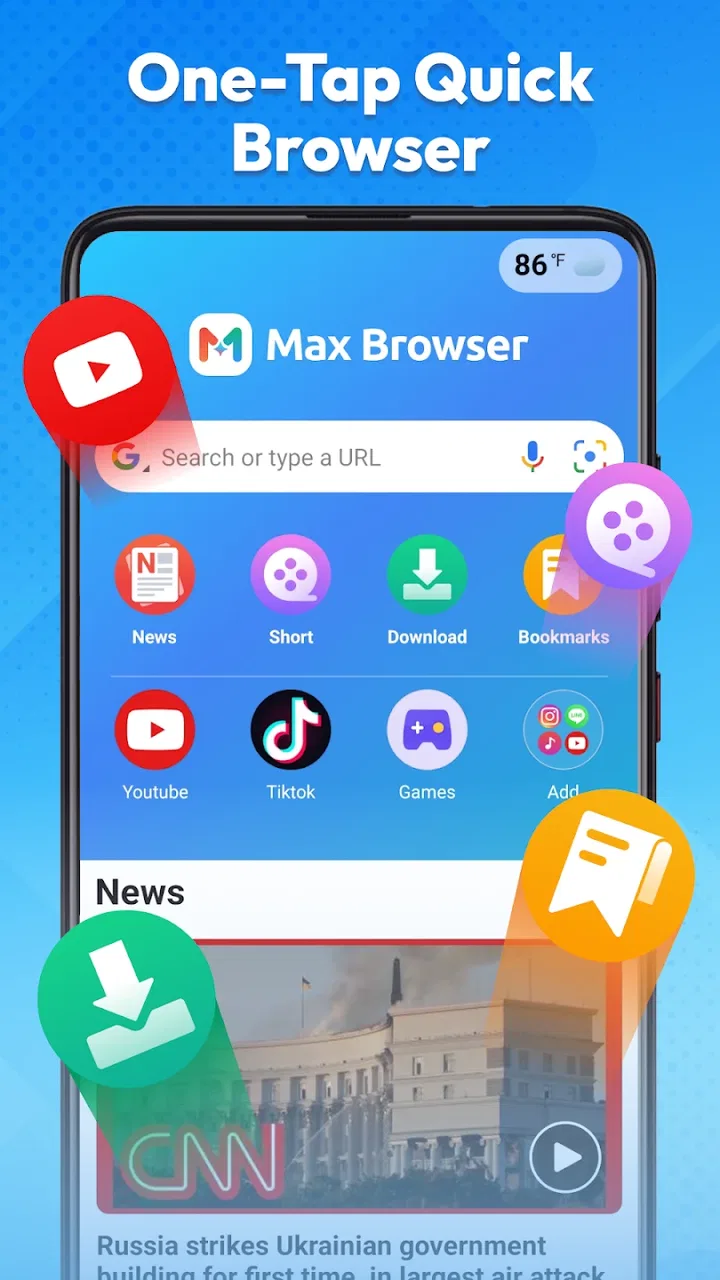
The app belongs to the tools category, and its purpose is easy to understand from the first launch. Instead of presenting itself as a full desktop-style command center, it puts ordinary browsing jobs close together. Search, current information, and basic web access are the center of the experience. That focus matters because many mobile browsing sessions are short: I open a browser to answer one question, confirm a detail, read a headline, or check conditions outside.
You May Also Like

 Blood Strike: 2.5 Anniversary
Blood Strike’s Loadouts Turn Every Drop Into a Tactical Gamble
A close look at Blood Strike’s custom loadouts: how fast access to signature weapons reshapes its battle royale rhythm, rewards preparation, and narrows the gap between fights.

 Pandora - Music & Podcasts
Pandora’s Music Is Easy to Start, but Harder to Recover
Pandora’s strength is its low-effort path from a seed to a station. Its weak spot is how much confidence it asks you to place in connection, setup, and quiet recovery.

 8 Ball Pool
 Is Built on Rivalries, Rematches, and Routine
A close look at the rivalries, rematches, shared routines, and unanswered safety questions that turn a quick pool match into a persistent mobile community.

 Samsung Music
’s Quiet Strength Is Playing What You Already Own
Its reach comes less from spectacle than from dependable access to a personal library. That simplicity is both the app’s strongest retention engine and its ceiling.

 AccuWeather: Weather Radar
AccuWeather Review: A Quick, Clear Forecast for Everyday Decisions
For everyday plans, the best forecast is the one you can understand quickly. AccuWeather makes rain timing, radar, and local conditions easy to act on, with a few trade-offs.

 Hill Climb Racing
Why Hill Climb Racing Still Turns Crashes Into One More Run
A tiny car, a bumpy hill and one more upgrade: Hill Climb Racing keeps resurfacing because its simple chaos makes every near-miss feel personal.
More From Our News Desk



The first useful setup is deliberately uncomplicated. I would begin by deciding whether the app should be my main browser or a secondary one for quick searches. That choice changes how I judge it. As a secondary browser, its compact approach is appealing because it can handle small tasks without replacing the habits and saved material I already keep elsewhere. As a primary browser, I would spend more time checking whether its navigation style and available controls match the way I manage tabs, logins, and frequently visited pages.
Max Browser is free, which lowers the barrier to trying it. It carries a Teen content rating, runs on Android devices using version 8.0 or later, and the current release is version 1.2.5. Those details make it accessible to a broad range of Android users, including people with older phones who may not want a demanding browser. I still recommend checking how it feels on your particular device before moving all browsing activity into it, because a browser is something you interact with repeatedly throughout the day.
The app has already reached over a million installs and holds a 4.7 average from around twenty-three thousand ratings. That level of adoption suggests that its simple approach is connecting with a substantial audience. I do not treat popularity as proof that it will suit everyone, though. Browser preferences are unusually personal: one person wants a clean search box, while another considers password tools, extensions, desktop handoff, or highly detailed privacy controls essential.
A setup that saves time instead of creating another project
My practical advice is to test Max Browser with a small, repeatable routine rather than importing your entire digital life immediately. Use it for a few searches, open a news page, check the weather, and visit one site where you normally compare browser behavior. This gives you a useful impression of loading flow, readability, and how quickly you can return to a previous page without making the evaluation feel like technical maintenance.
A useful habit is to treat the integrated information areas as launch points, not as a replacement for every source you already trust. The news view can help me discover what deserves attention, while a direct visit to a publication remains better when I want the full context of a story. The same applies to weather: a quick glance is convenient, but important travel or outdoor decisions deserve a more careful check.
The private-search emphasis is also worth understanding in practical terms. I see it as a reason to use the app for searches where I prefer a more restrained starting point, not as a promise that every part of online activity becomes invisible. Search privacy, website privacy, device settings, and account behavior are separate matters. Keeping that distinction in mind prevents disappointment and leads to better browsing habits.
Real situations where the focused design helps
One realistic example is a morning commute. I can open the browser, check the weather, scan the main headlines, and search for a route or opening time without launching several unrelated apps. The value is not that any single action is extraordinary. The value is the reduced switching. When I am already holding my phone and trying to leave home, fewer jumps between apps mean fewer chances to lose the original task.
Another useful scenario is shopping research. I might search for a product, open a few pages, compare basic descriptions, and then stop. For this kind of short session, a focused browser is less intimidating than a heavily packed interface. I can also use the news and weather areas separately when planning a day around delivery, travel, or an outdoor activity. The app becomes a practical front door to several small decisions.
It is also handy for temporary searches on a shared or spare device. If I only need to look up a public fact, check a forecast, or read a current story, I may not want to reorganize the device around a full browser profile. Max Browser’s free availability makes that experiment easy. I would still avoid entering sensitive account details on any device I do not control, regardless of which browser is installed.
For students, the app can be useful when the goal is quick discovery rather than long research management. A student checking a definition, looking for a current news example, or confirming a weather-related plan may appreciate the directness. For serious study, however, I would want stronger organization around references, multiple long-running tabs, and moving work between devices. That is where a more established full-featured browser may be the better fit.
What friction it removes, and what it does not
The most noticeable benefit is reduced decision-making. Many browsers expose a wide range of controls before I have even decided what I want to read. Max Browser’s appeal is that it puts common information needs in reach without making me configure a complicated workspace. This is especially helpful on a phone, where every extra menu costs attention and every unnecessary tab makes returning to the original page harder.
Its combination of browsing, private search, news, and weather also reduces the need to maintain a separate mental map of where each task belongs. I do not have to think, “Which app should handle this small question?” as often. That sounds minor, but repeated small choices are exactly where a utility can save time. The benefit is strongest for people whose phone use consists of many short information checks rather than long, carefully organized browsing sessions.
There is a trade-off, though. A focused interface can feel limited once my needs become more demanding. If I am comparing many pages, managing a research project, switching between devices, or relying on advanced browser tools, I may prefer a mature alternative with a broader ecosystem. Max Browser’s streamlined identity is a strength for quick tasks and a potential weakness for users who want their browser to act like a complete productivity system.
I would also be careful not to confuse a clean experience with universal speed. Network quality, the website itself, the phone, and background activity all influence how quickly a page appears. The app’s fast-browsing goal makes sense for routine use, but no browser can remove every delay caused by a slow connection or a heavy website. My best results came from using it for appropriately sized tasks rather than expecting instant handling of every complex page.
Who will enjoy it, and who should choose something else
I would recommend Max Browser to someone who wants a free, approachable browser for searches, headlines, forecasts, and ordinary web visits. It is particularly suitable for people who dislike overfilled interfaces or who want a second browser dedicated to quick information. Older Android users may also appreciate that it supports Android 8.0 and later instead of requiring a recent device.
It is less convincing for someone whose browser is also a central archive of work. If you depend on extensive synchronization, specialized add-ons, elaborate tab systems, or a tightly connected desktop workflow, I would compare those needs carefully before switching. A larger browser may take longer to learn but provide better continuity for that kind of use. Max Browser makes more sense when the priority is removing everyday friction, not collecting every possible browser feature.
Privacy-conscious users should approach it with sensible expectations. The private-search focus is useful and relevant, but I would still review my general browsing habits, account logins, and device security. No single setting can replace careful behavior. If your main reason for changing browsers is a highly specific privacy model, compare the controls you personally require rather than relying only on the app’s positioning.
Small habits that make the app more useful
My first tip is to separate “quick check” browsing from “keep this for later” browsing. Use Max Browser for the former, then deliberately save or record anything important through a method you already trust. This prevents a temporary search from becoming a forgotten collection of pages. It also makes the app’s lightweight character work in its favor instead of forcing it to imitate a research manager.
My second tip is to use the weather view as a planning trigger. Rather than checking it repeatedly without acting, look at it before deciding what to wear, when to leave, or whether an outdoor plan needs adjustment. The practical gain comes from connecting the information to a decision. In that role, the weather feature supports the day instead of becoming another feed to monitor.
My third tip is to keep news consumption intentional. A quick headline scan is useful when I need orientation, but I avoid treating a compact news area as the complete story. When something affects a purchase, trip, appointment, or personal decision, I open the relevant source and read beyond the headline. This workflow preserves the speed of discovery while reducing the risk of acting on incomplete context.
A fourth useful approach is to test the browser during the exact moments that normally annoy you. If your problem is constant app switching, use it during a morning routine. If your problem is finding a private-search starting point, test it with ordinary non-account searches. If your problem is clutter, compare how quickly you can reach a page and return from it. This is more informative than judging the app from a single impressive first launch.
My final view after using it as a daily utility
Max Browser succeeds when I judge it by time saved and attention spared. It brings browsing, private search, news, and weather into one free Android tool without asking me to turn every small lookup into a project. The developer, devBroodyy, has clearly aimed at an accessible experience, and the strong average rating shows that many users find the approach worthwhile.
My recommendation is positive but specific: try it if your normal browsing consists of quick searches, current information, and short visits. Keep a more feature-rich browser nearby if you manage complex research, depend on broad synchronization, or need specialized controls. The app is not valuable because it replaces every alternative. It is valuable because it can make the ordinary, repeated parts of phone browsing feel more direct.
In the end, I see Max Browser as a practical companion rather than an automatic replacement for every browser on an Android phone. Its best quality is focus. When I need a fast route from a question to an answer, or from a morning check to a simple plan, it removes enough friction to earn a place in my routine. The right reason to install it is not to collect another browser, but to make small information tasks easier to finish.
FAQs for Max Browser - Fast & Easy
01What features make Max Browser stand out from other browsers?
Max Browser is designed for speed and ease of use. It incorporates a streamlined interface that minimizes clutter, ensuring quick navigation. Key features include an ad-blocker, private browsing mode, and customizable themes. These features, combined with low resource consumption, make it a standout choice for users seeking efficiency.
02Is Max Browser secure for online transactions?
Yes, Max Browser prioritizes user security, employing advanced encryption methods to protect your data during online transactions. It includes a secure browsing mode that automatically blocks malicious sites and warns users of potential phishing threats, ensuring a safer online shopping and banking experience.
03Can I customize the Max Browser interface?
Absolutely, Max Browser offers a range of customization options. Users can adjust themes, modify toolbar layouts, and choose from a variety of extensions to enhance functionality. This flexibility allows users to tailor their browsing experience to better suit their personal preferences and needs.
04Does Max Browser support synchronization across devices?
Yes, Max Browser supports device synchronization. Users can sync bookmarks, history, and settings across multiple devices by signing into their account. This feature ensures a seamless browsing experience, allowing you to pick up where you left off on any connected device.
05Are there any costs associated with using Max Browser?
Max Browser is free to download and use. However, there may be optional in-app purchases or premium features that users can buy to enhance their browsing experience. These might include advanced ad-blocking capabilities or additional customization options, though the core functionality remains free.
Pros
- Lightning-fast page loading speeds.
- User-friendly interface with easy navigation.
- Advanced privacy features for secure browsing.
- Minimalistic design enhances user experience.
- Efficient data usage for optimized performance.
Cons
- Limited extension support compared to competitors.
- Occasional crashes on older devices.
- Lacks built-in ad blocker.
- Customization options are limited.
- No offline reading mode available.

Max Browser - Fast & Easy
Gallery